Getting Started
The ordered path through Launch - from entering Control Hub to a live application.
This guide walks you through the complete workflow from entering Control Hub to having a deployed, production-ready AI agent system.
The Outcome
A live application at a real URL, built from a use case, with its agents deployed and its workflows tested.
Before You Start
You need a use case selected on the Jamming Board, or a blueprint configured from the Blueprints page. Either one puts a Design App entry point in front of you.
Align work does not have to be finished before you start, but the steps below will stall without it. If you have not yet loaded knowledge, connected systems, or decided access boundaries, read Data, Tool Integrations, and Governance & Guardrails first.
Start Here
Click Design App on your chosen use case. Do not skip ahead to the Data or Deploy steps - the workflow plans generated in step 2 determine which agents get created, which determines what data and tools they need.
Enter Control Hub
Click Design App on a use case in the Jamming Board. You land in Control Hub with your project named and the left panel showing three sections: Agentic Workflows, Agentic System, and Data.
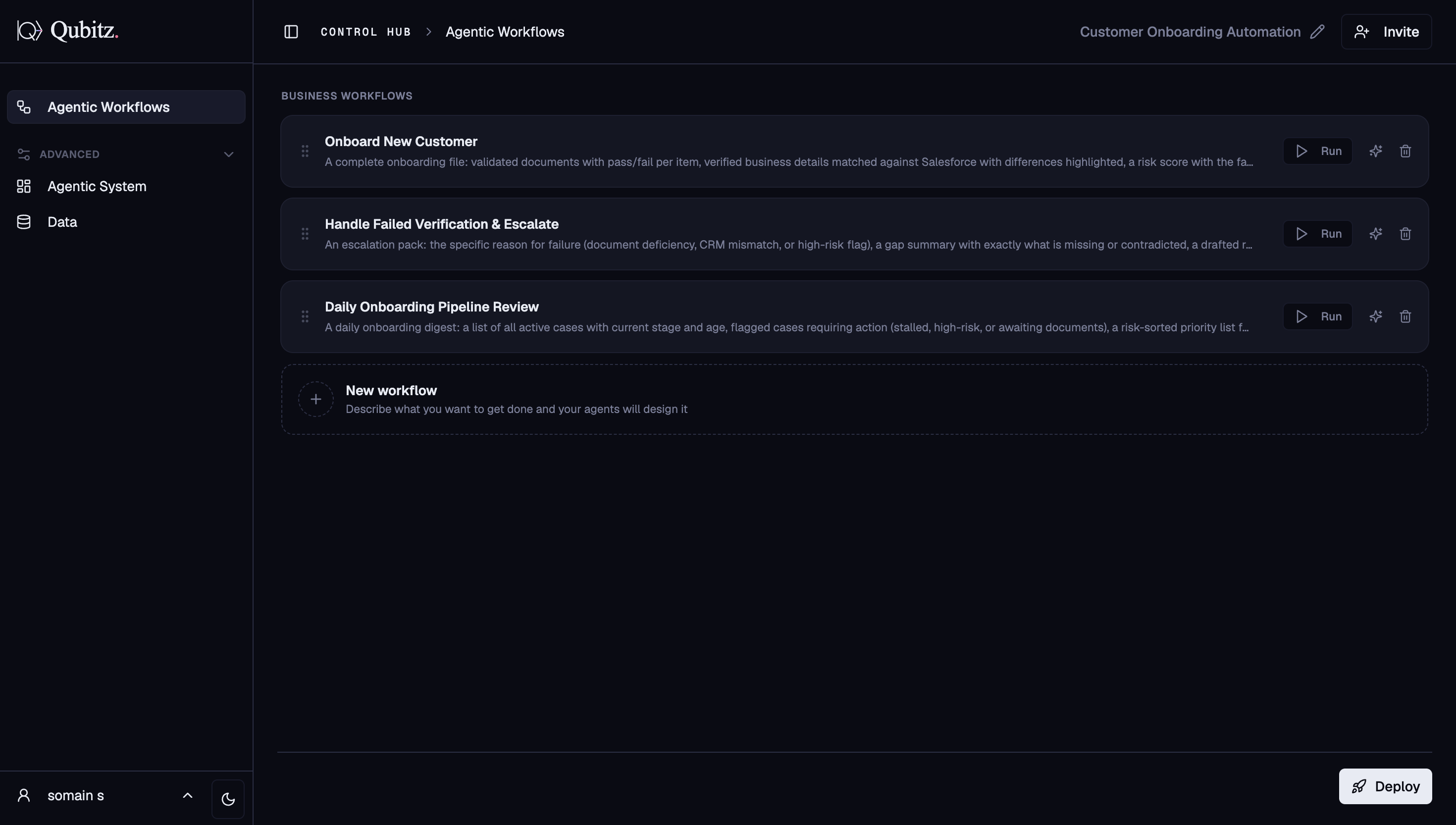
Review Your Workflows (Agentic Workflows)
The Workflow Architect generates multi-step workflow plans for your use case. Each appears as a card with its name, deliverable summary, and a Run button.
- Edit any workflow directly on the card or use the chat panel to refine in plain English
- Add new workflows with the New workflow card
- Each project holds up to 30 workflows (300 KB total, 24 KB per workflow); the platform warns before you hit the limit
Configure Your Agents (Agentic System)
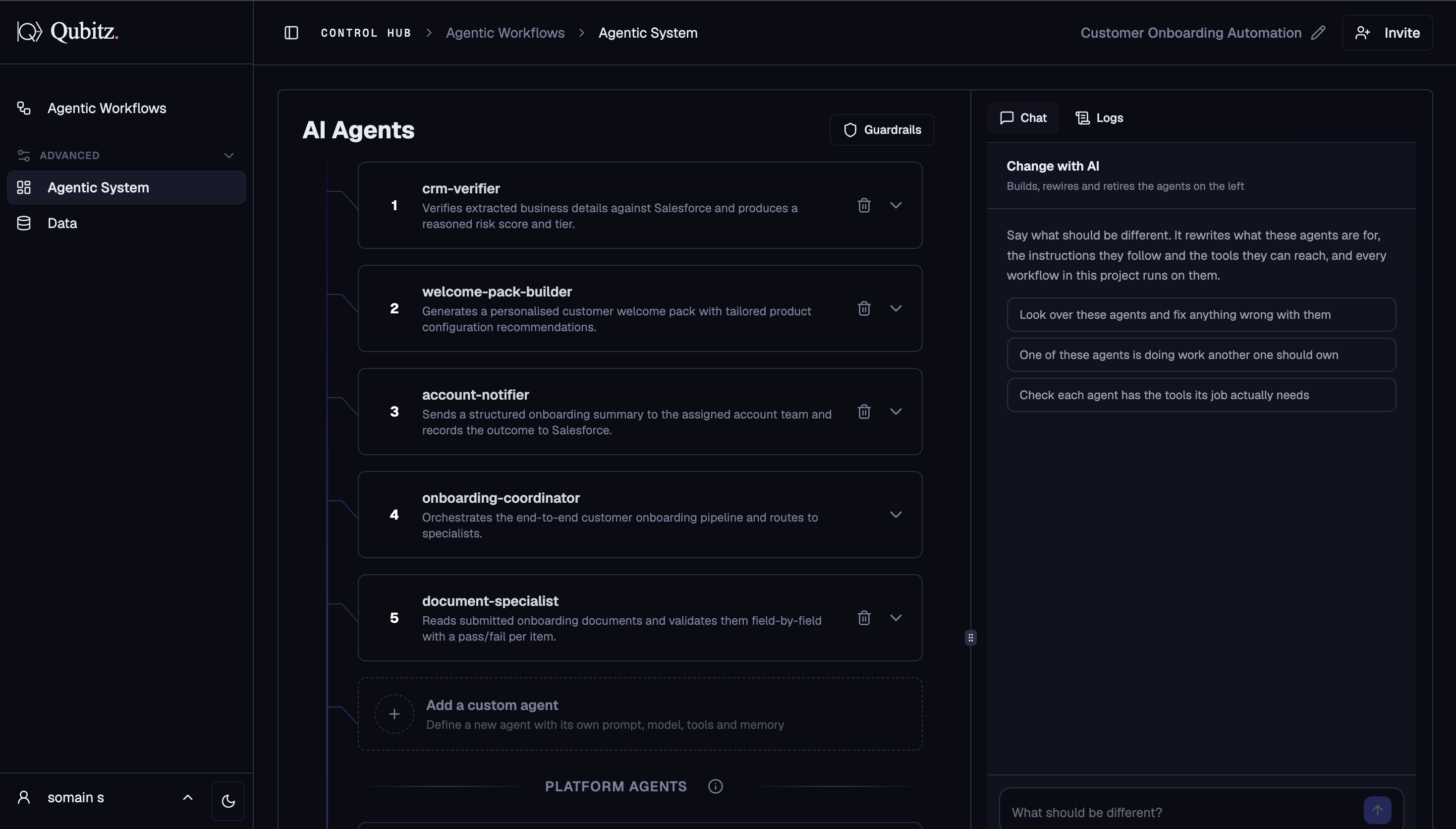
Switch to Agentic System. The Workflow Architect automatically generates a multi-agent architecture. Expand any agent card to review and edit its configuration.
- Model - choose from 24+ models across Anthropic, Amazon Nova, Meta, Mistral, and others
- Tools - RAG, MCP, web search, generate report, voice, and more
- Memory - short-term (session) or long-term (persistent)
- System Prompt - editable inline
- Use the Change with AI panel to request changes in plain English
Agents Deploy Automatically
Once the spec is ready, deployment to AWS Bedrock AgentCore fires automatically - there is no manual Approve step. Deploy logs stream in real time in the right panel.
Add Knowledge Data (Data tab)
Switch to Data to enrich your agents with domain knowledge:
- Knowledge Base - upload PDFs, DOCX, PPTX, XLSX, TXT, or Markdown files organised into named collections
- Structured Data - upload CSV files or connect a database; bind datasets to the agents that need them
- Connections - link external integrations: CRMs, APIs, MCP servers
- Graph RAG - build a domain property knowledge graph from your documents with a live Cytoscape.js canvas
Test Your Workflows (Test Bed)
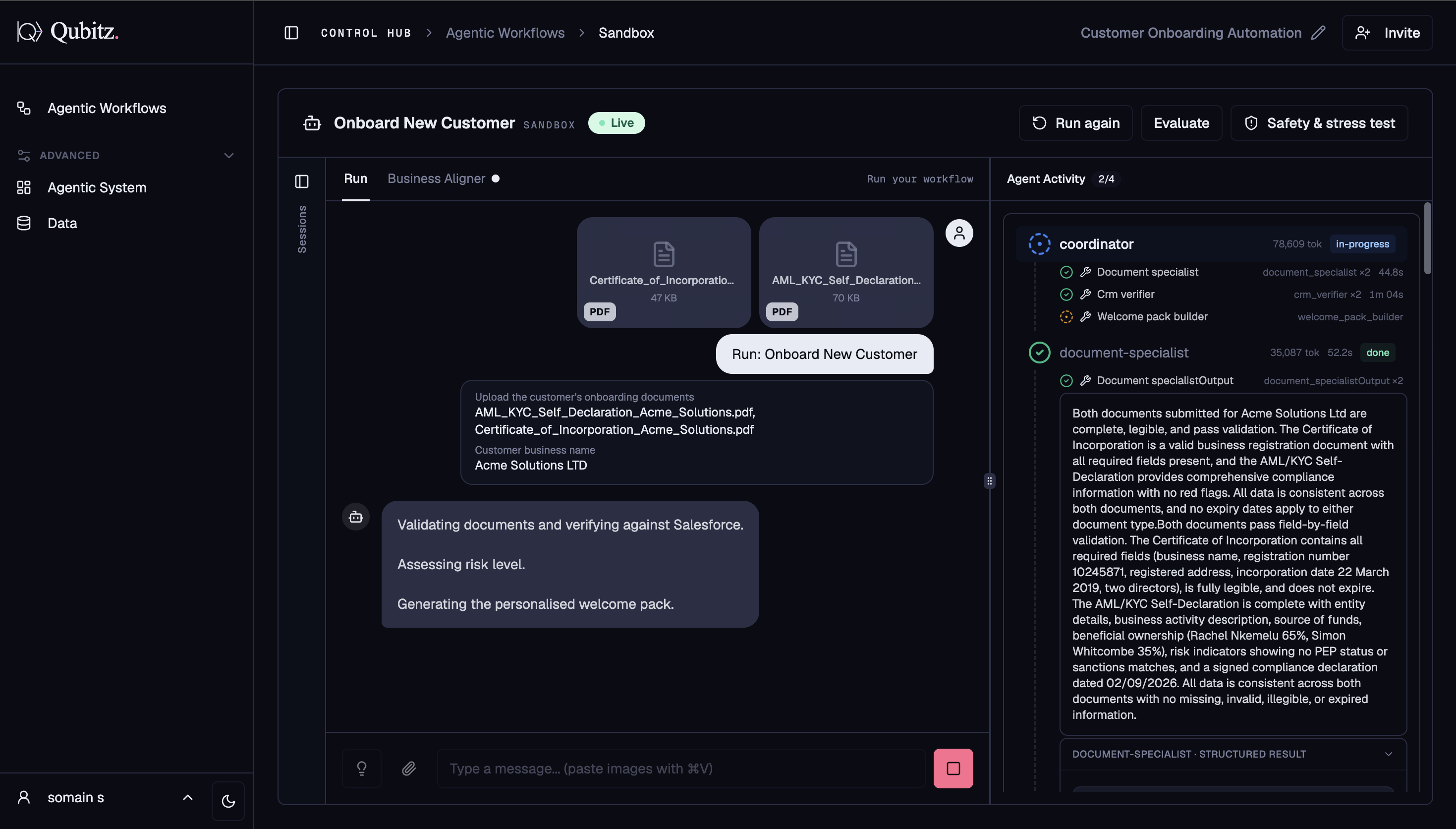
Click Run on any workflow card in Agentic Workflows. The Test Bed opens for that workflow, connecting live to your AgentCore runtime.
- Watch the agent activity stream as each agent executes
- Review the structured output and any generated documents once the run completes
- Run Evaluate to score the output across up to 8 metrics
- Run Safety & Stress Test to probe your agents with adversarial techniques
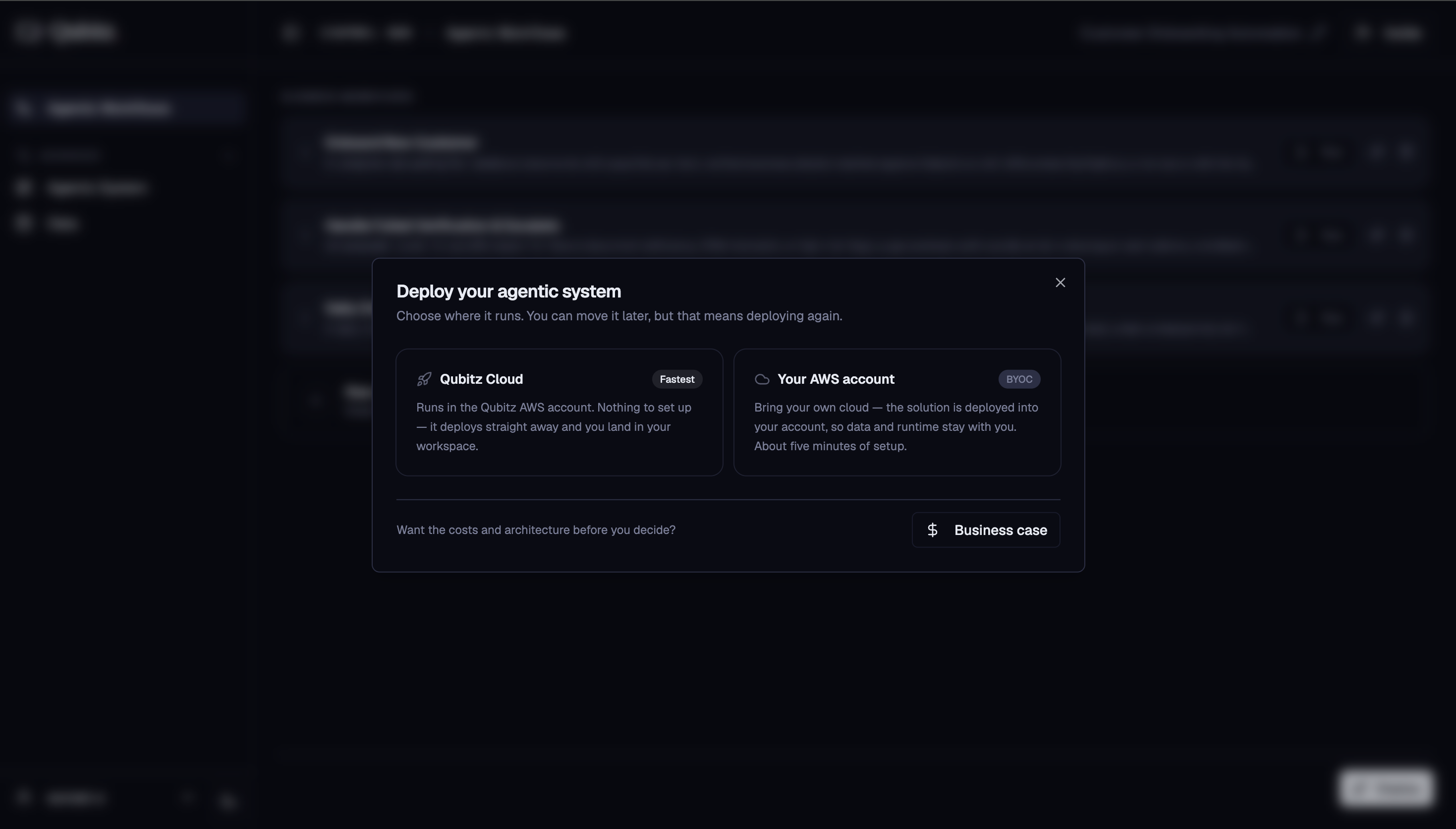
Deploy Your Agent System
Click the Deploy button in Agentic Workflows. Choose Qubitz Cloud to deploy into Qubitz's managed AWS infrastructure, or BYOC to deploy into your own AWS account.
Generate Your Application (App Generator)
After deployment, open Application Management and go to App Generator. Click Generate app, customise your Brand Kit (name, colour, font, logo), then click Save & generate. Qubitz writes the full application code, pushes it to GitHub, and Amplify builds and deploys it automatically.
Your Application is Live
Once the Amplify build succeeds, your live URL appears on the App Generator page. Open it to see your running application. Use Application Management for all ongoing operations: monitoring, compliance, cost tracking, and identity management.
What Good Looks Like
- The workflow plans were reviewed and corrected, not accepted as generated
- Every agent that needs domain knowledge has a collection or dataset bound to it
- A workflow has completed a full run in the Test Bed, and both Evaluate and Safety & Stress Test have been run against it
- The Amplify build succeeded and the live URL opens a working application
- You know which deployment target you chose and why
Where This Leads
- Test Bed - the detail behind step 6, including every evaluation metric and adversarial technique available.
- Deploy - the detail behind step 7, including the Business Case review you should run before committing.
- Application Management - Operate, where steps 8 and 9 continue into ongoing operations.