Deploy
Choose a deployment target, check the business case, and put your agent system into production.
Deployment is triggered from the Deploy button in the Agentic Workflows tab, not from a separate Deploy tab. Clicking it opens a dialog with two deployment targets.
The Outcome
Your agent system running on production infrastructure, in a place you chose deliberately, with the costs understood before you committed.
Before You Start
Deploy last, not first. Before you open the dialog:
- Workflows have been run end to end in the Test Bed, evaluated, and stress tested
- Agents are configured as you want them in Agentic System
- Access boundaries are decided - see Governance & Guardrails
If you are choosing BYOC, have your AWS details ready before you start: an IAM role ARN, and your VPC and network configuration if you intend to set one.
Start Here
Click Business Case before you click Deploy. It gives you the cost estimate, the AWS architecture diagram, and a PDF export - the three things anyone approving this deployment will ask for. Deploying first and costing afterwards is the wrong order.
Deployment Options
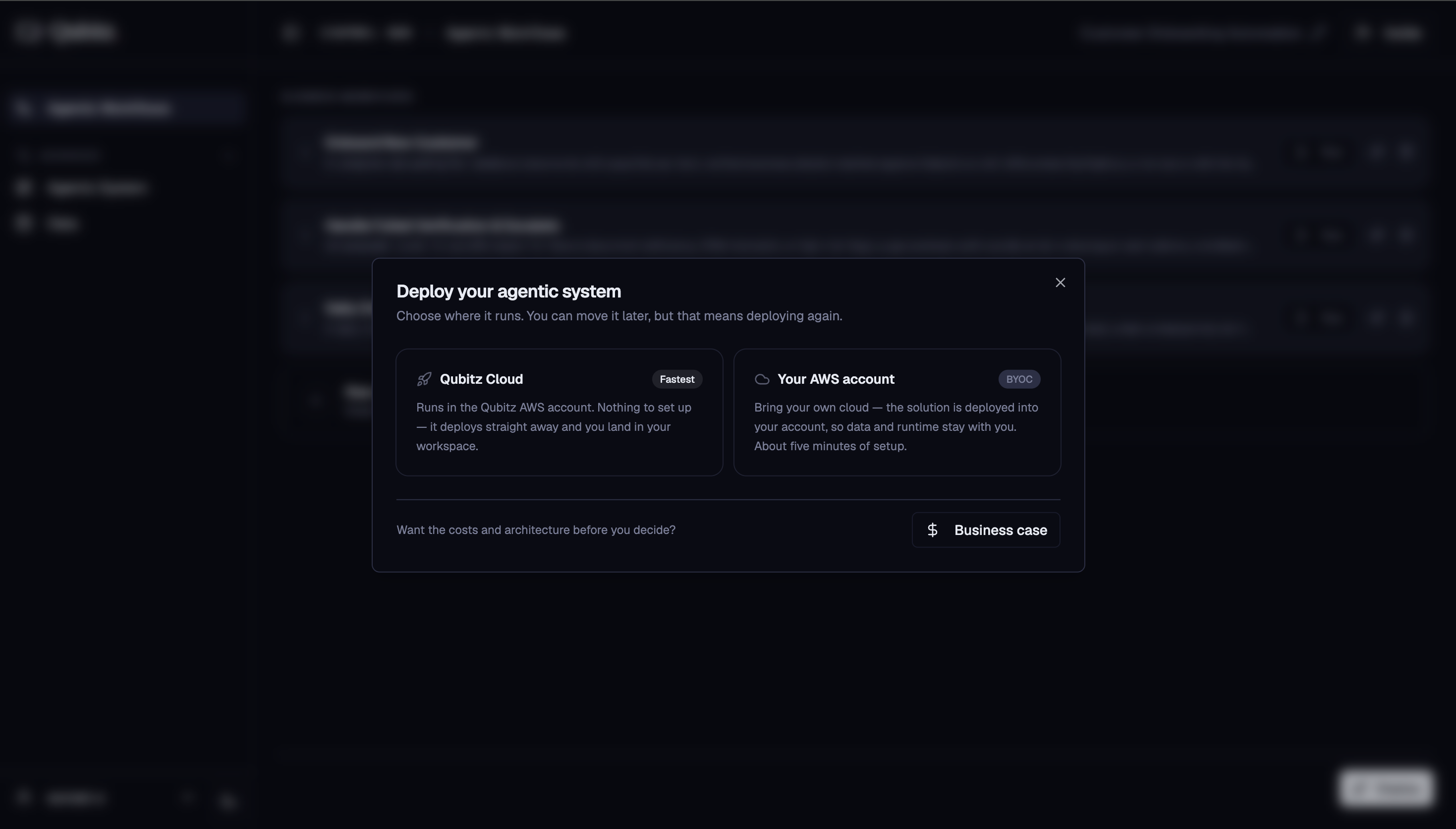
Qubitz Cloud
- Deploys your agent runtime into Qubitz's managed AWS infrastructure
- No AWS account setup required
- Agent calls bill against your Qubitz token balance (or your own Bedrock API key if configured)
BYOC (Bring Your Own Cloud)
- Deploys your agent runtime into your own AWS account
- You provide an IAM role ARN and optionally choose your VPC and network config
- Infrastructure costs bill directly to your AWS account
Business Case
Before committing to deployment, click Business Case to review the financial case for this project.
Cost Estimates
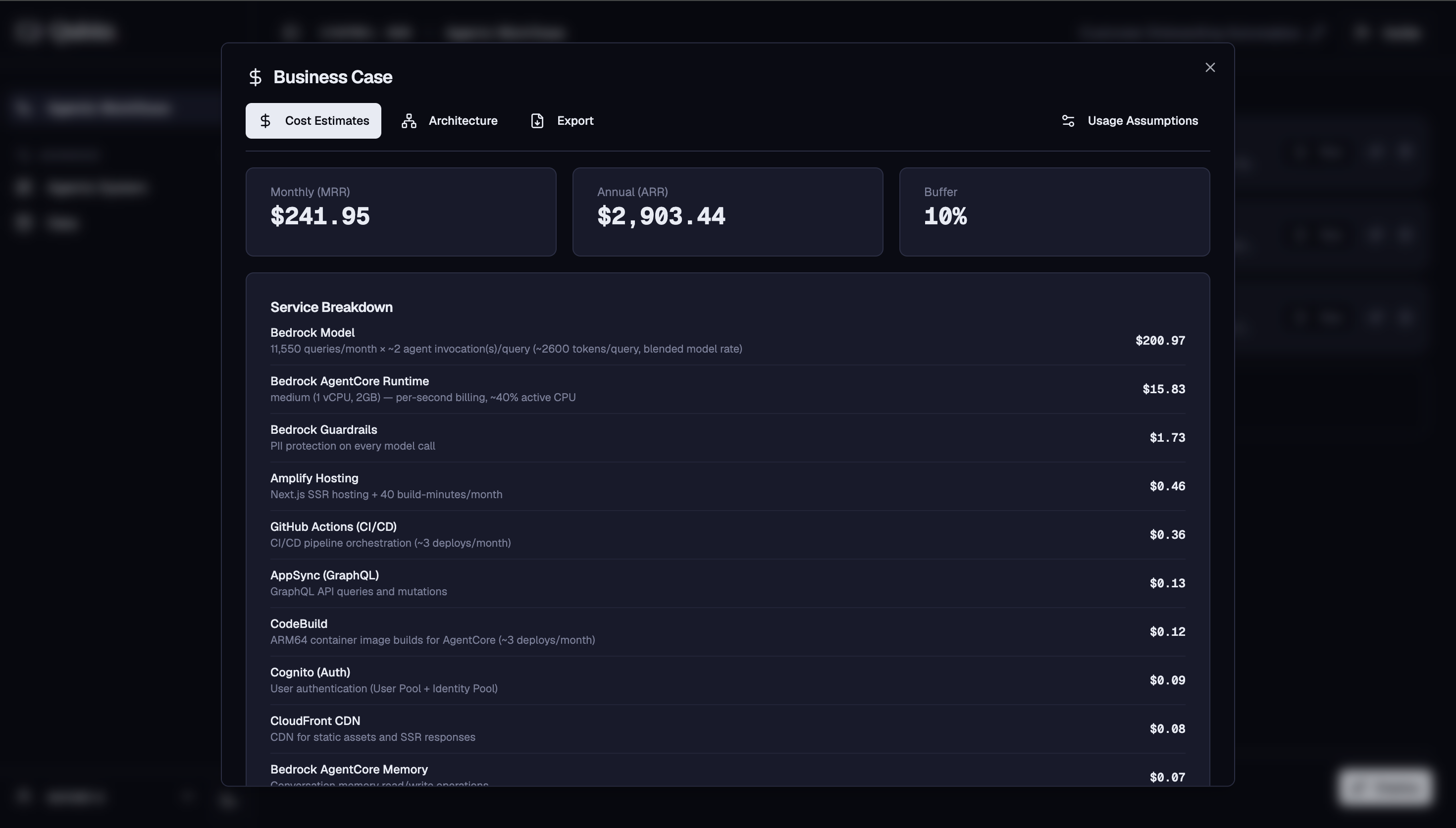
- Monthly MRR, Annual ARR, and Buffer % cards
- Itemized breakdown of every AWS service with name, description, and monthly cost
- Three scenario cards: Conservative (0.6x), Base (1x), Growth (2x)
- Configurable settings: sessions/day, turns/session, buffer %
Architecture Diagram
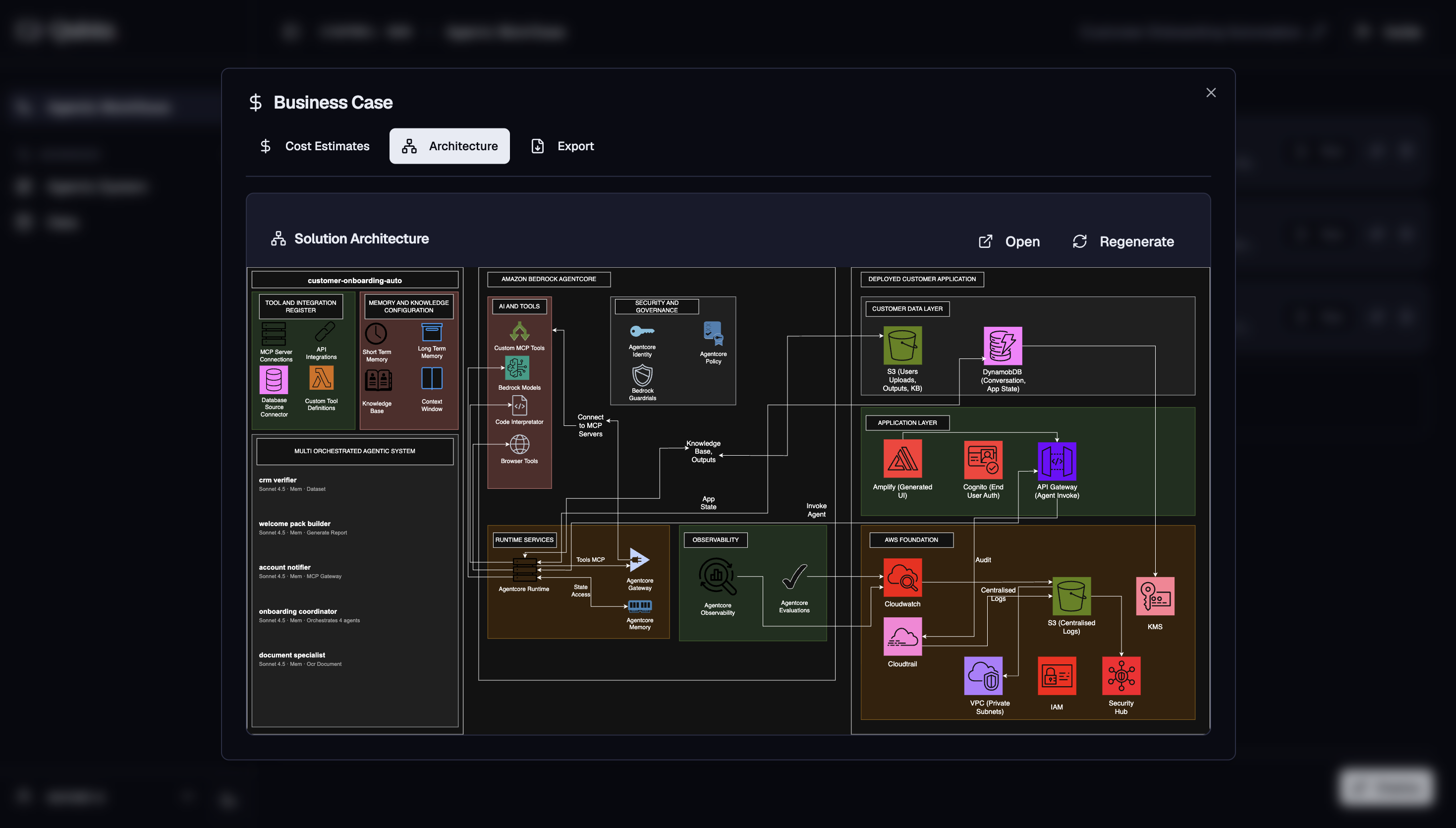
- Renders the AWS architecture diagram for your use case
Export
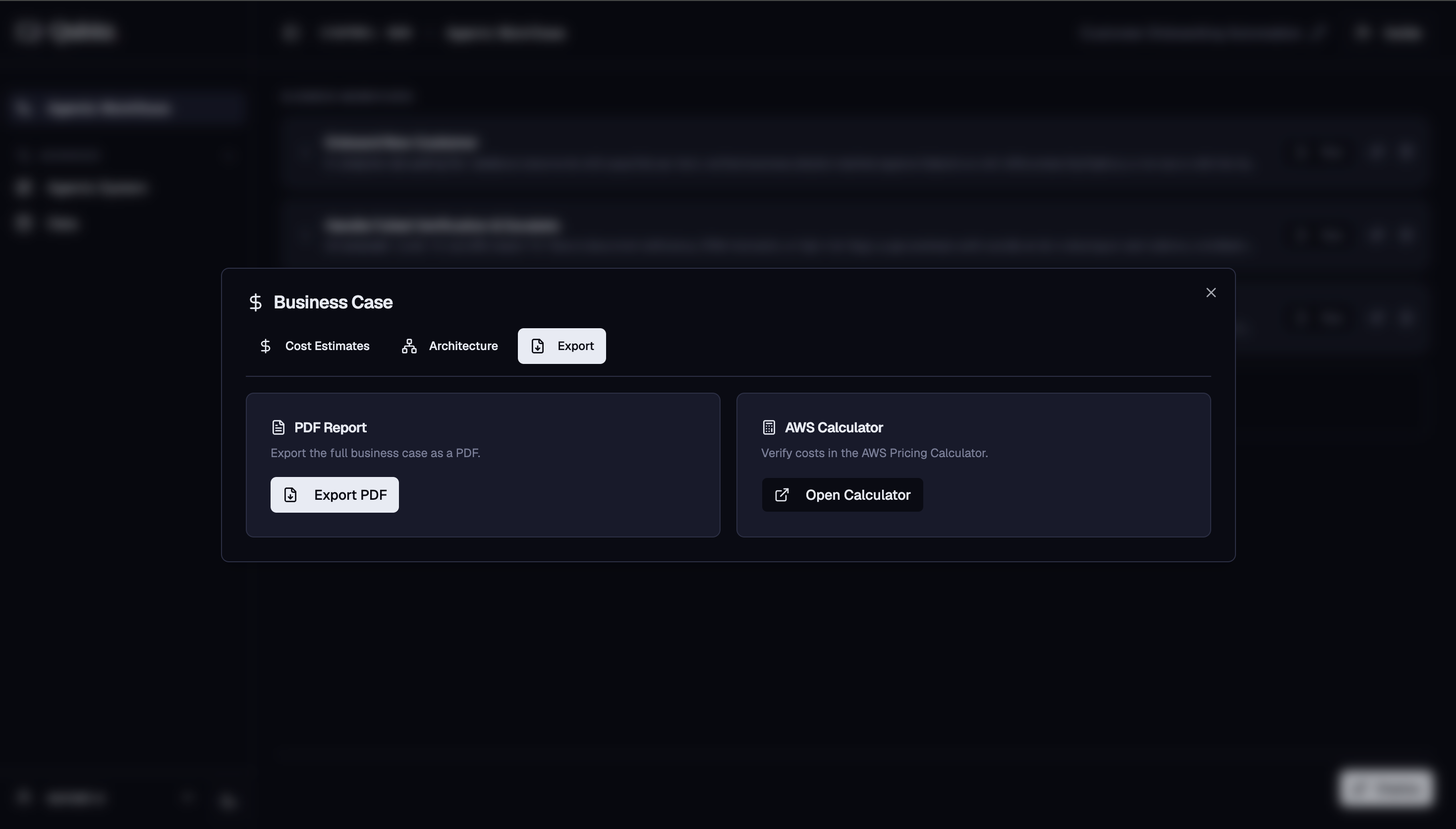
- Export the business case as a PDF
- Includes a link to the AWS Pricing Calculator to verify costs independently
After Deployment
Once deployed, go to Application Management to manage your live system. From there you can:
- App Generator - generate and deploy the customer-facing web application
- Business Workflow - run your workflows in production
- Observability - monitor sessions, traces, latency, errors, and token usage
- Compliance & Security - run pen tests, generate DPO Pack, WAFR, and Design Documents
- FinOps - track actual AWS spend broken down by service
- Settings - manage collaborators, revert to draft, or teardown the application
What Good Looks Like
- The target was chosen on data residency and cost ownership grounds, not on which one was quicker to click
- The Business Case was reviewed at the Base scenario, and the sessions/day and turns/session settings reflect your actual expected usage rather than the defaults
- Someone who controls budget has seen the cost estimate before deployment, not after the first invoice
- If you chose BYOC, you know FinOps cost data is not available for BYOC deployments and have your own cost tracking in place
- The architecture diagram matches what your infrastructure team expected
Where This Leads
- Application Management - Operate starts here: generate the customer-facing app, then monitor, secure, and cost the running system.
- Governance & Guardrails - a pen test belongs after deployment and before you open access beyond the build team.