Application Management
Operate - run the deployed system: generate the app, watch it, secure it, and track what it costs.
Application Management is the post-deployment control center for your AI application. You arrive here after deploying your agent system from Control Hub. The sidebar is organised into three sections - Foundation, Application, and Operations - covering everything needed to run a production AI system.
The Outcome
A running application you can see into: who is using it, whether it is behaving, whether it is compliant, and what it costs.
Before You Start
You need a deployed agent system. Deployment happens from the Deploy button in Agentic Workflows - see Deploy. Until that is done, there is nothing here to manage.
Two things to settle in your first session here rather than later:
- Identity & Access - decide the trust model before real users reach the agent
- FinOps - not available for BYOC deployments, and data can take up to 24 hours after first deployment, so do not read an empty dashboard as zero spend
Start Here
Go to App Generator and click Generate app. Deploying the agent system put a runtime in production; it did not produce the application your users open. Generating the app is what turns a deployed runtime into something a person can actually use, and everything in Operations becomes meaningful only once real traffic is hitting it.
Foundation
The Foundation section covers what your product is built on: the workflows it runs, the agents behind them, and the data they work from.
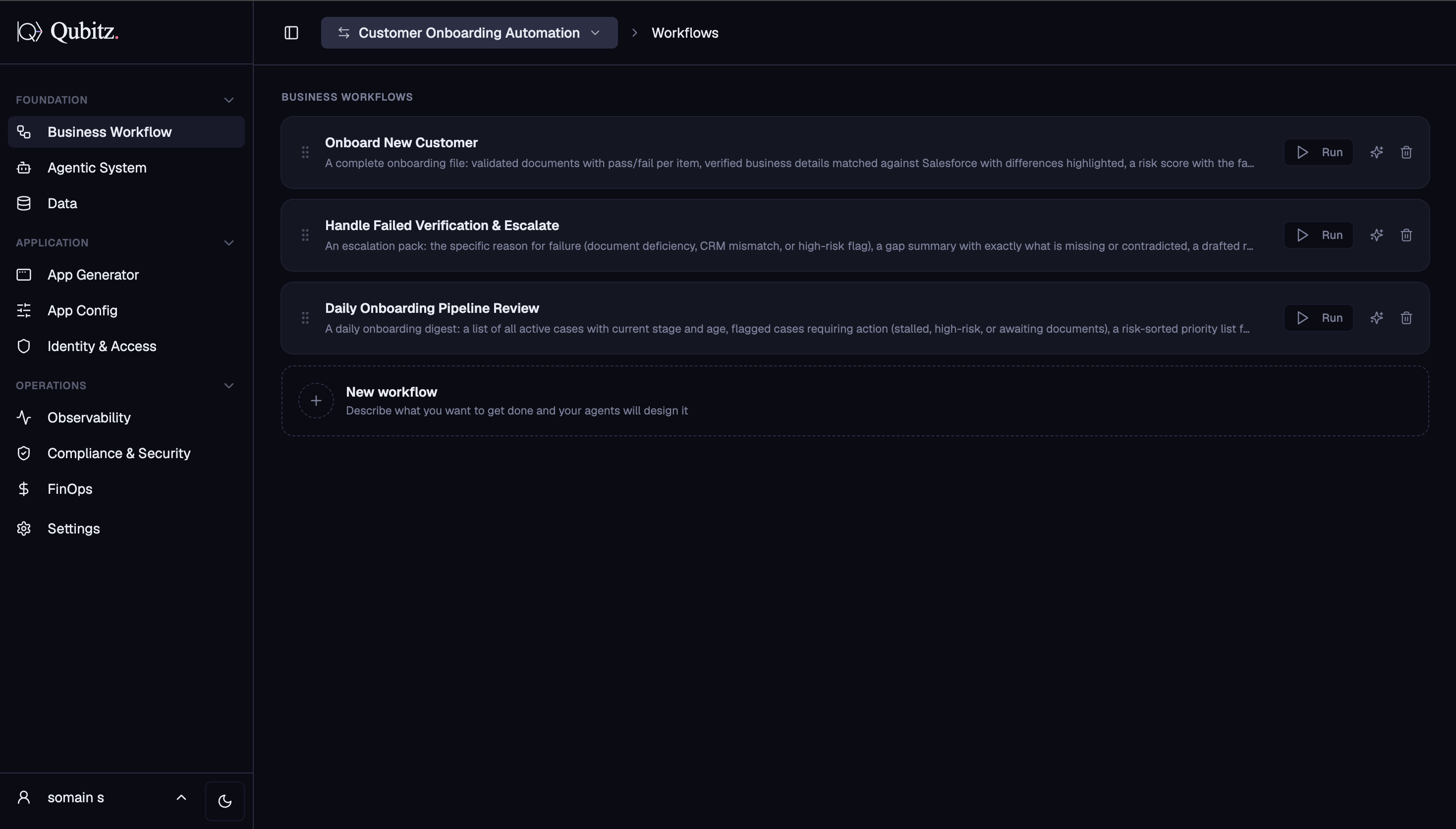
Business Workflow
The landing tab. Shows every workflow your agents can run as cards:
- Each card displays the workflow title, deliverable summary, and a Run button
- Clicking Run opens the Test Bed for that workflow
- The New workflow card at the bottom lets you describe a new workflow and your agents will design it
Agentic System
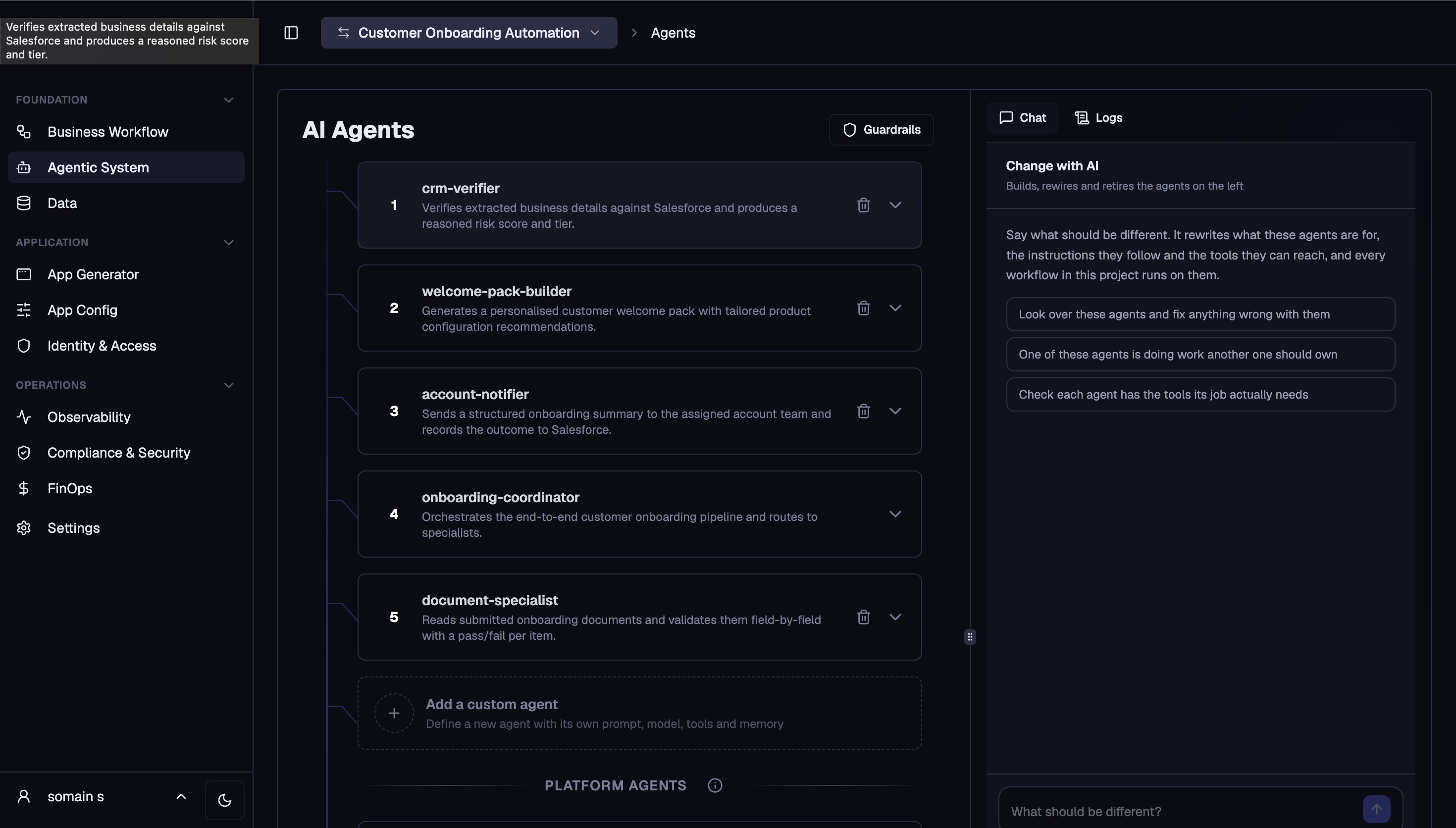
The same agent editor as Control Hub - your full agent roster is editable without going back to design mode:
- Numbered agent cards, each expandable to edit model, tools, memory, and system prompt
- Guardrails button (top right) for content safety rules
- Add a custom agent card to define a new agent from scratch
- Platform Agents section for system-level agents
- Change with AI panel to modify agents in plain English; Logs tab to view execution logs
Data
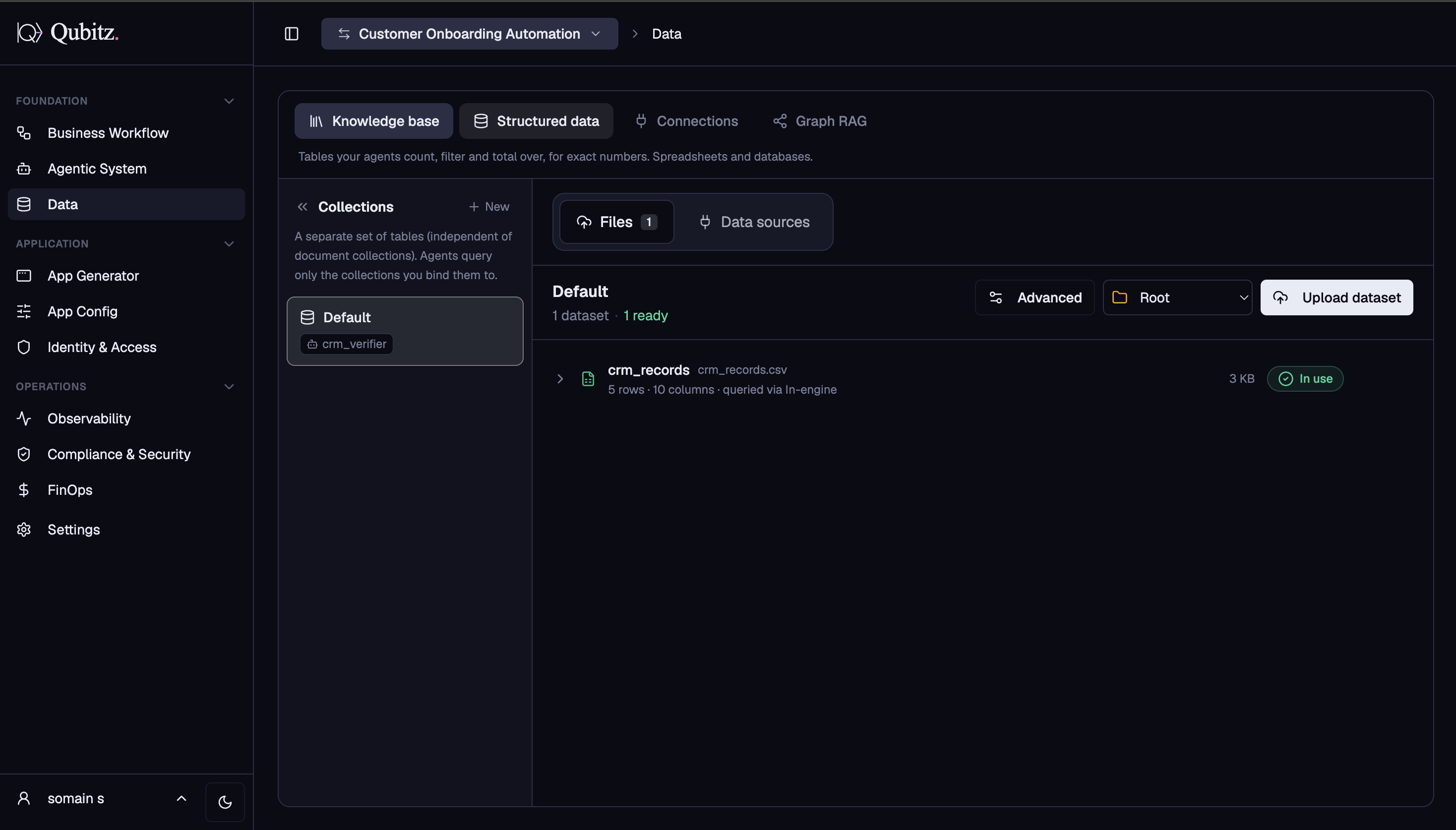
Manage the domain knowledge your agents query at runtime. Four sub-tabs:
- Knowledge Base - documents and files your agents reference via RAG, organised into named collections bound to specific agents
- Structured Data - CSV files and database connections agents can count, filter, and total; datasets grouped into collections
- Connections - third-party integrations: CRMs, APIs, MCP servers
- Graph RAG - domain property knowledge graph built from your documents, queryable as a structured agent tool at runtime
Application
The Application section covers the deployed customer-facing web app.
App Generator
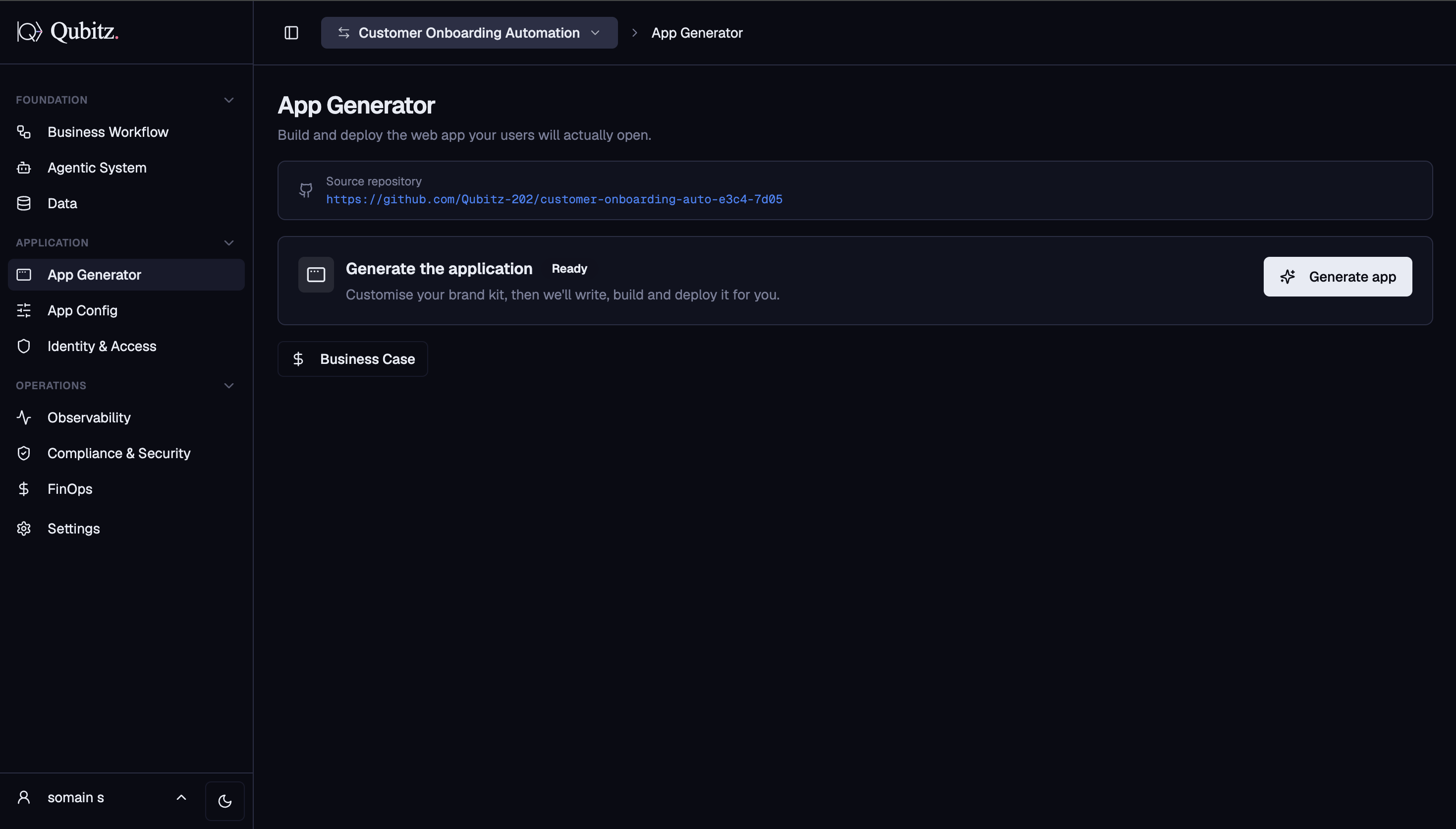
Build and deploy the web app your users will actually open:
- Source repository - GitHub repo Qubitz created for this project is linked here
- Click Generate app to open the Brand Kit dialog: set your application name, tagline, primary colour, font style, logo, and optional prompt
- Click Save & generate - Qubitz writes the code, pushes to GitHub, and triggers an Amplify build automatically
- A live Build activity log streams every step; the app is marked Live once Amplify succeeds
- Open App Refiner to make AI-assisted code changes in plain English after the app is live
- Business Case button opens cost estimates, AWS architecture diagram, and PDF export
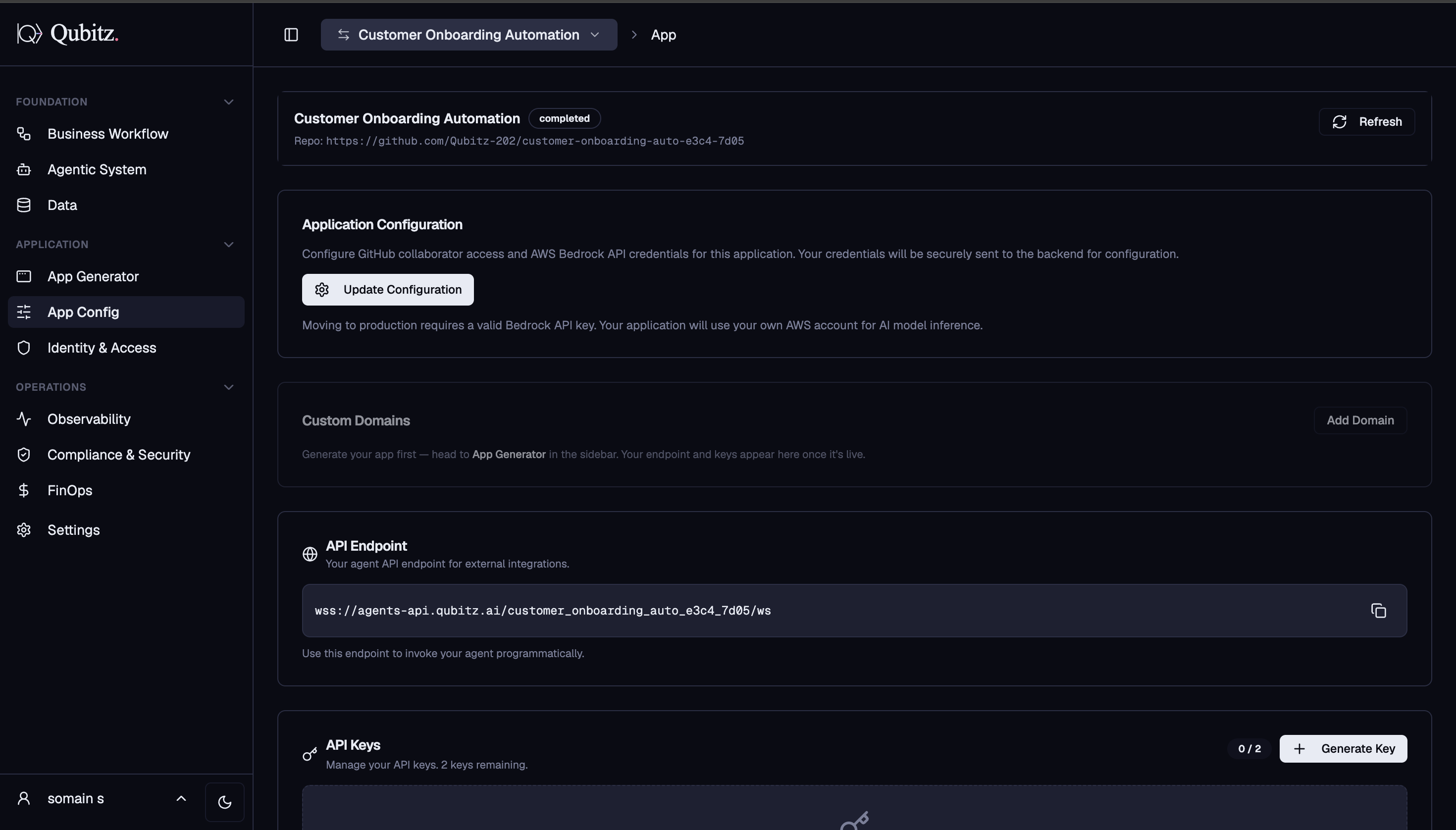
App Config
Configuration for the live app and its API:
- Application Configuration - add a GitHub collaborator and set your AWS Bedrock API key
- Custom Domains - add and verify a custom domain (available after app is generated)
- API Endpoint - WebSocket endpoint URL for external integrations
- API Keys - generate and manage API keys (up to 2 per project)
- Channel Integration - Web Widget, Slack, WhatsApp, Microsoft Teams, and Voice via Twilio and Amazon Nova Sonic
- Build History - every previous Amplify build with version, status, live URL, and timestamps
Identity & Access
Controls who can reach your agent and what they can do:
- Trust model - choose between Trust whoever calls (simplest) or Check every caller (token verification against IdP)
- Group access - define named groups and set what each group can reach
- SSO Connections - Microsoft Entra ID, Google Workspace, Okta, Auth0, SAML, OIDC
- Directory Sync (SCIM) - auto-provision and deprovision users from your corporate directory
- Domain Verification - verify email domains your users sign in from
- Sign-in Policy - MFA requirements and session timeout rules
- Grants - scoped access grants for users and agents
- Agent Auth - service principal credentials so agents authenticate as trusted identities
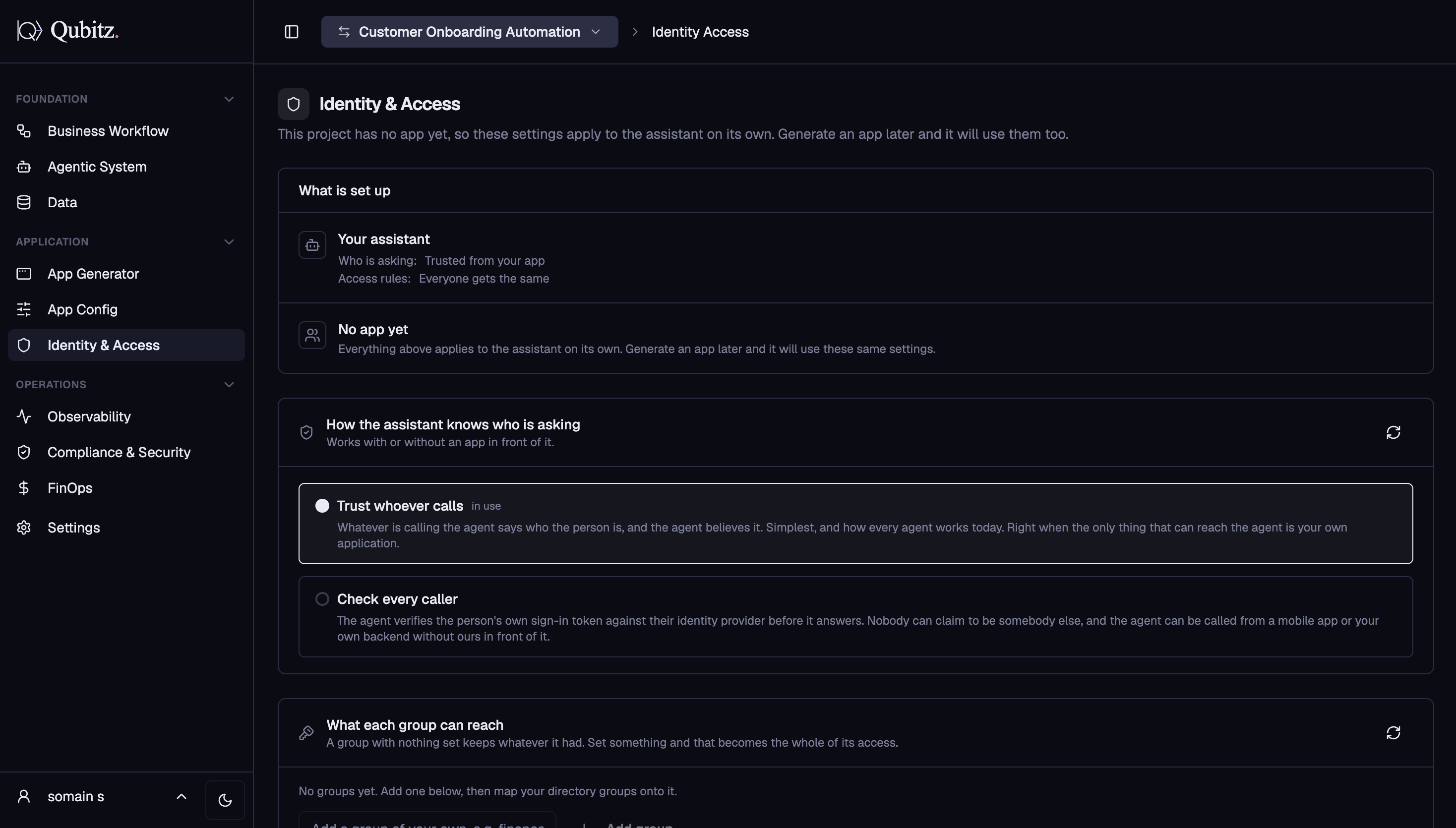
For how to decide between the two trust models and why Directory Sync matters more than it looks, see Governance & Guardrails.
Operations
The Operations section is for monitoring what is already running in production.
Observability
Live runtime telemetry pulled from AWS CloudWatch and X-Ray:
- Five metric cards: Total Sessions, New Sessions, Total Traces, Avg Latency, Error Rate
- Token Usage by Model - total tokens with input/output breakdown per model
- Resource Consumption - vCPU hours, memory (GB-hours), throttle rate
- Error Breakdown - system errors vs. client errors
- Agent Spans - per-agent trace count and average latency
- Refreshes automatically every 60 seconds
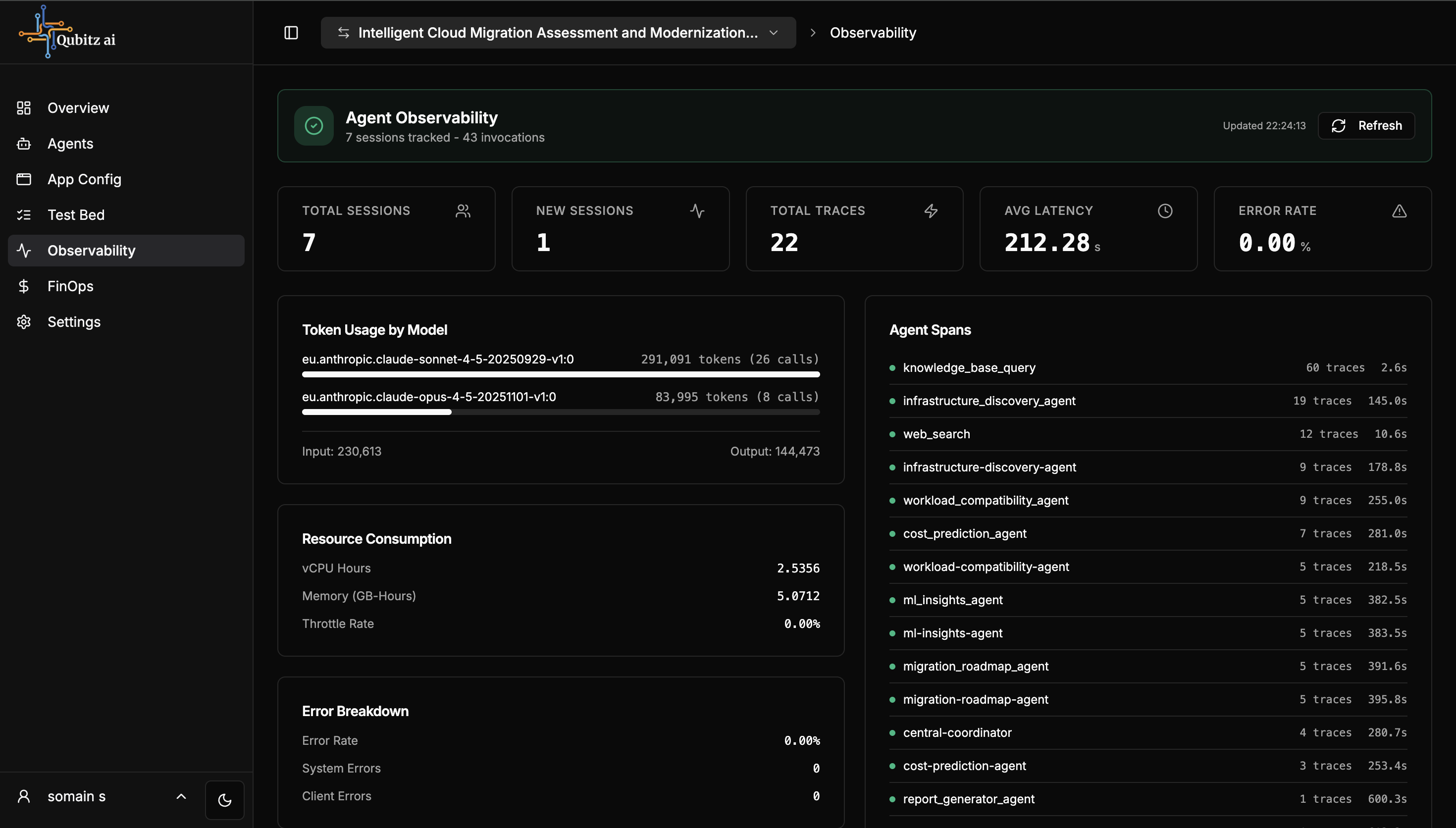
Agent Spans is the part to watch. Per-agent trace count tells you which agents are actually being exercised, and per-agent average latency tells you which one is making users wait.
Compliance & Security
Security testing and compliance evidence. Four sub-tabs:
- Security - on-demand pen testing powered by AWS Security Agent; findings saved as a downloadable PDF report
- Compliance - DPO Pack: seven GDPR documents generated in parallel (Privacy Policy, Data Flow Map, Security Policy, Retention Policy, Subprocessor Register, Cookie Policy, GDPR Controls)
- WAFR - AWS Well-Architected Framework Review across six pillars
- Design Document - full application design document covering architecture, data models, and API contracts
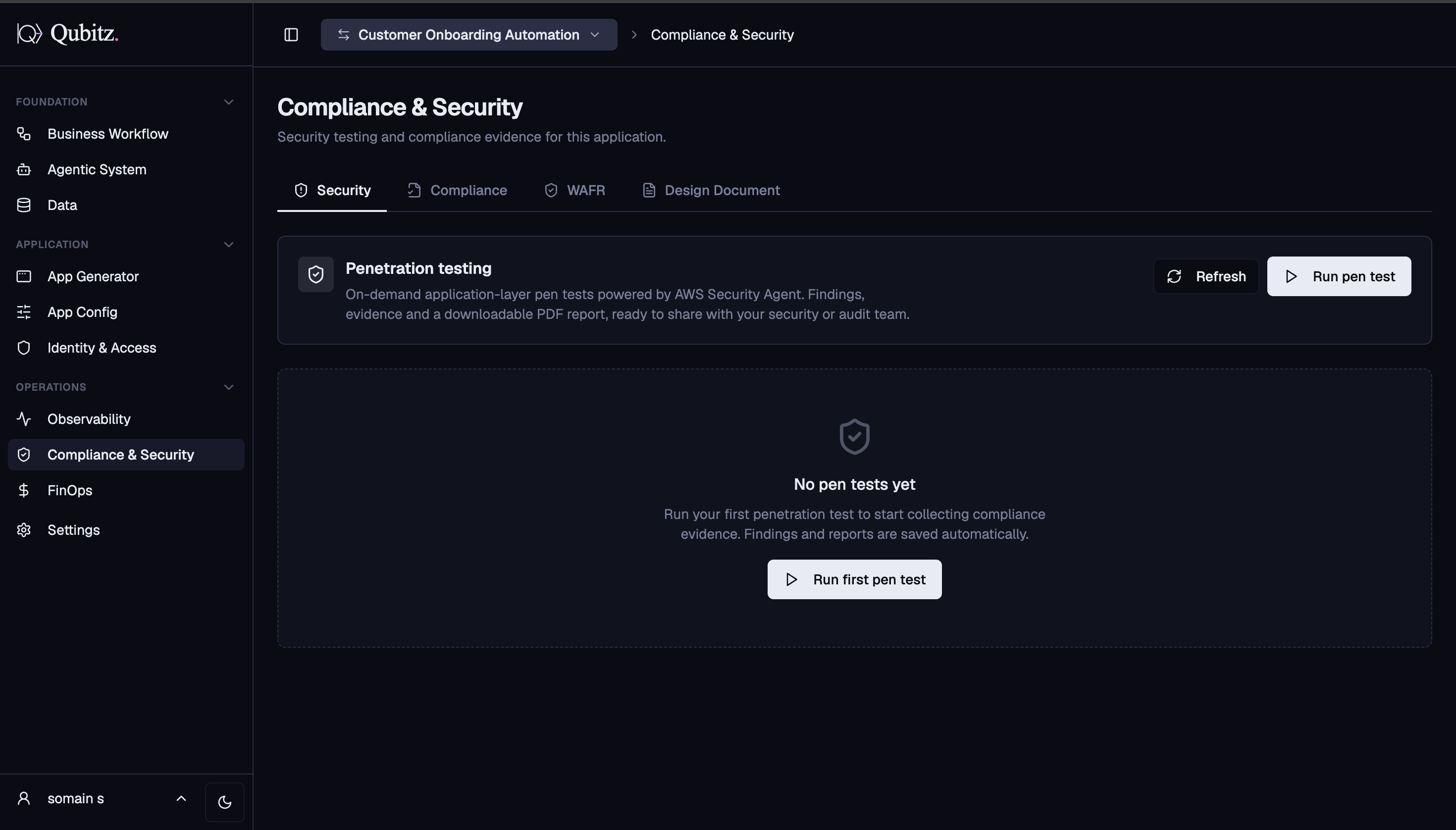
Governance & Guardrails covers when to run each of these and in what order.
FinOps
AWS cost data pulled from Cost Explorer with three period views (This Month, Last 7 Days, Today):
- Summary cards: Month to Date, Services count, Daily Average
- Cost Breakdown by Service - itemized per AWS service; Bedrock costs shown as estimated on Qubitz tokens
- Daily Cost Trend - spend per day as a horizontal bar chart
- Not available for BYOC deployments; data can take up to 24 hours after first deployment
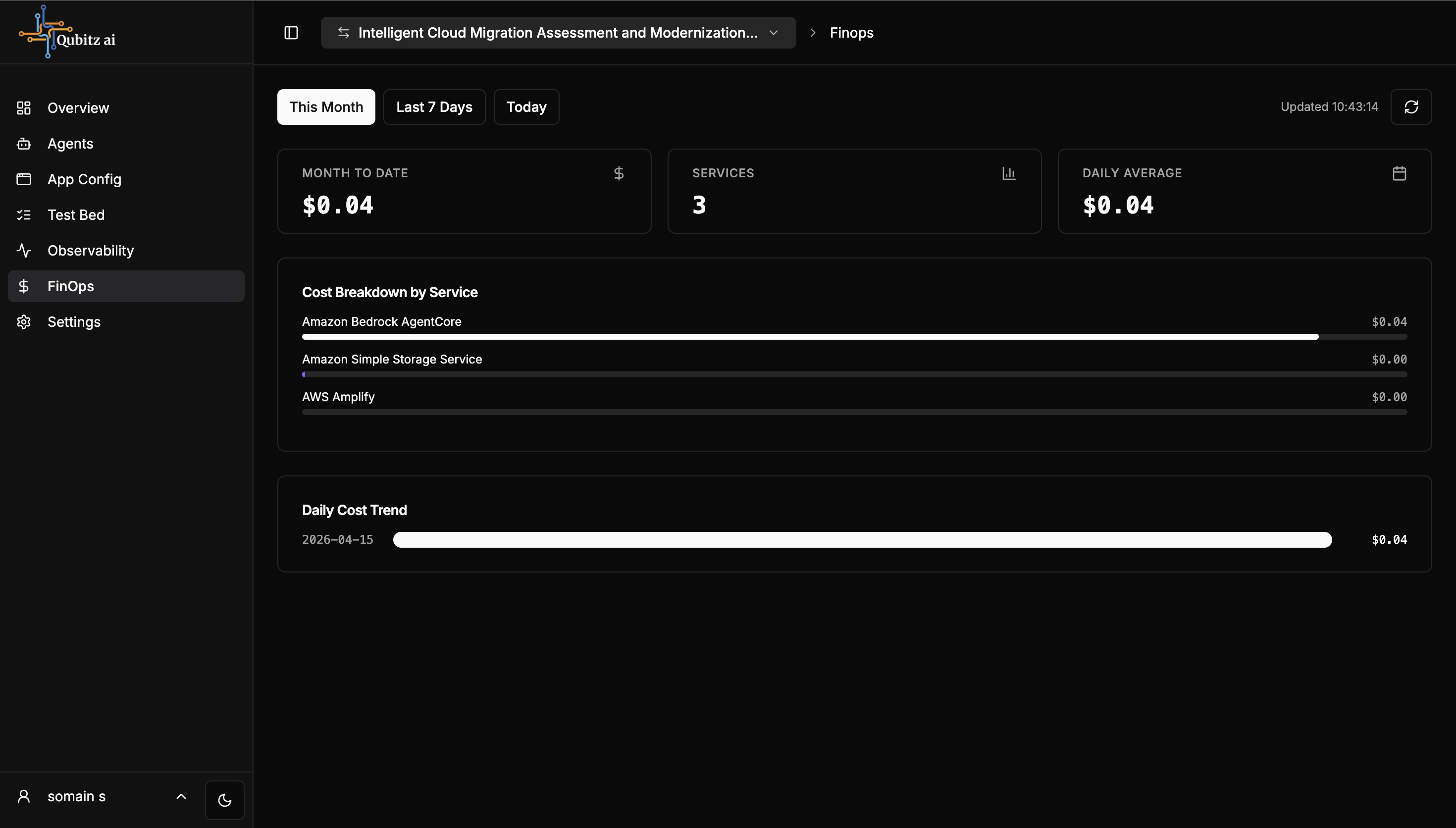
Compare what you see here against the Business Case estimate you approved at deploy time. That comparison is the only way to find out whether your sessions/day and turns/session assumptions were right.
Settings
Project-level configuration:
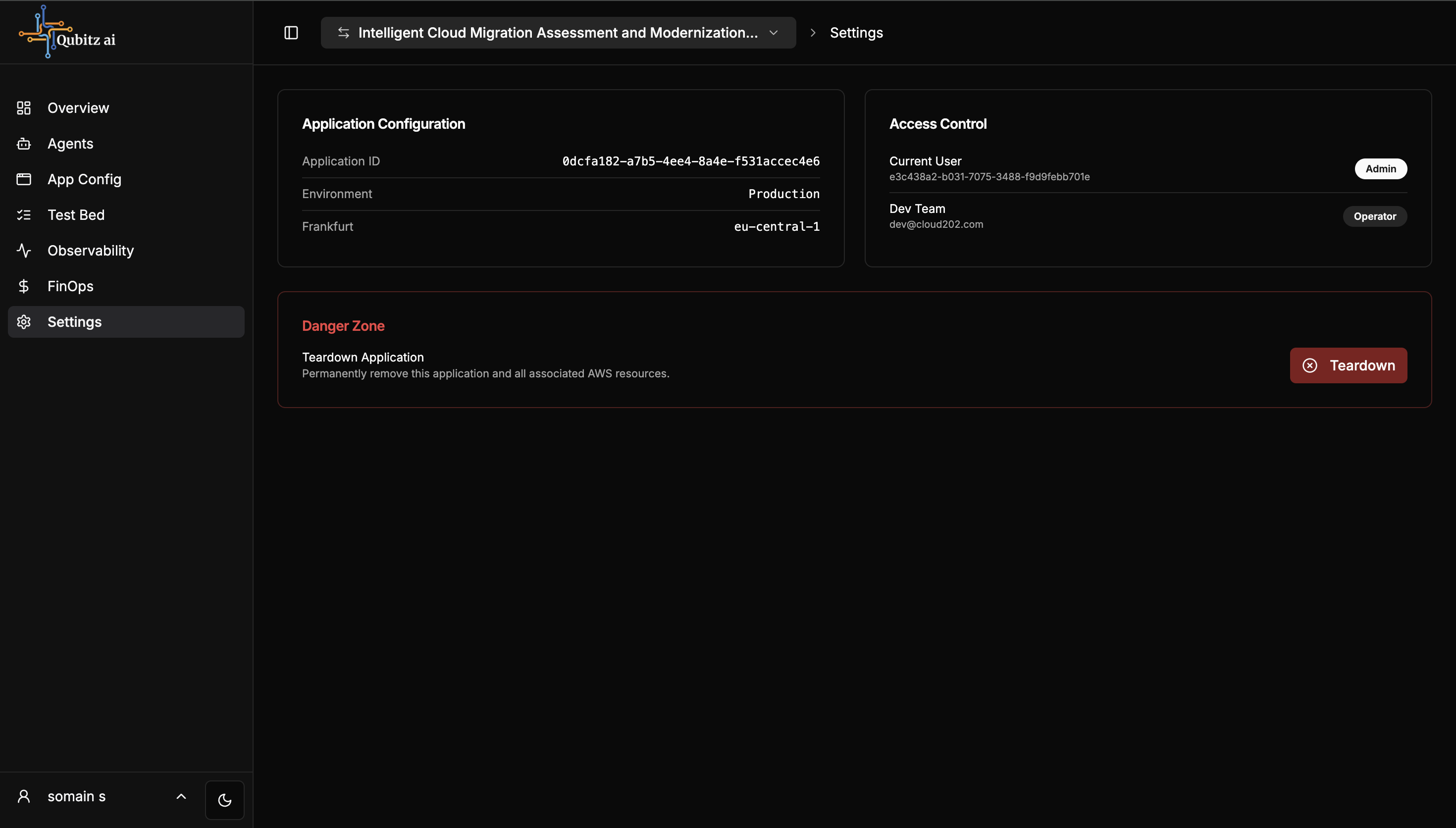
- Application Configuration - Application ID, environment (Production), AWS region
- Access Control - every user with access and their role (Admin, Operator, Viewer)
- Blueprint Catalogue - save this app as a reusable blueprint for others on the platform
- Revert from Production - move back to draft for editing; app stays deployed
- Collaborators - invite team members by email; manage access levels
- Danger Zone - permanently teardown this application and all AWS resources
What Good Looks Like
- The app is marked Live and opens at its URL, with a custom domain added if users are external
- Someone checks Observability on a regular cadence, and knows what normal error rate and latency look like for this app
- A pen test has been run against the deployed application and the findings are either fixed or consciously accepted
- If personal data is involved, the DPO Pack has been generated and read
- Actual FinOps spend has been compared against the Business Case estimate, and the gap is understood
- Access Control lists real people with deliberate roles - Admin, Operator, Viewer - not everyone as Admin
Where This Leads
- Governance & Guardrails - the sequencing for pen tests, DPO Pack, and WAFR, and the reasoning behind the trust model you picked in Identity & Access.